Thursday, November 17, 2016
How to Add home back softKey on Screen
How to Add home back softKey on Screen


Time to add home/back soft button keys on Android touchscreen without rooting your device. You dont need to change your android smartphone for doing so, we are going to share an easy method that will help you add Home/Back soft button on your Android without root.In many android devices you must have seen the three soft touch keys at the bottom of a touch screen which are similarly used as in buttons in another android.
Actually, those soft keys are better than the harder one, but these soft keys arenot available in every android handset. However, you dont need to change your device for that, there is a way by which you can also add that three keys on your android screen.
Mostly this is implemented after rooting your android, but that voids your device warranty. So we have a way by which you can add these buttons without rooting your android. So have a look on complete guide discussed below to proceed.How to Add Home/Back Soft Button Keys on Android without RootThe method that we are going to discuss right here is very simple and will work with a cool android app that will let you to add these three buttons on your android bottom touch screen thatmakes your user interface experience more flexible and reliable as hard buttons can get stop working but these will not. So follow up the steps below.Steps To Add Home/Back Soft Button Keys In Your Android
Step 1. First of all, you need to download and install the cool android app that is Back Button .Download from play store
Step 2. Now after installing in your device launch it and you will see a popup appears asking you to enable the app in accessibility permission. Grant the permission.
Step 3. Once, you granted the permission, you can see the app. There you need to swipe to a right at the "Active" button to enable this app on your device.
Step 4. Now after this come back to the back button app and there you need to activate the active option and then activate the buttons that you want to be there in your android touch screen. Now you will instantly see these buttons on your screenYou can easily re-position these button by simply tapping on them, also you can resize them and customize them completely according to your wish.Thats it! you are done, for those that their buttonsare still working, now you have extra three buttons on your android touch screen that will work exactly same as you three hard buttons do.
So above is all about How to Add Home/Back Soft Button Keys on Android without Root. With this method, you will be having three touch buttons without rooting your device. Hope you like the post, do share with others too, Leave a comment below if you have any related queries with this.
Kelvin Alexander y
Go to link Download

Sunday, November 6, 2016
Integration between DLNA media player and your home entertainment system
Integration between DLNA media player and your home entertainment system
If you’ve ever watched the photos on your digital camera come alive on your TV or played the music files on your computer over your home theater system, you’ve brushed against the magic of DLNA. This widely integrated but little understood technology allows you to stream media files from a hard drive or memory card to other devices on your home network without your needing to know a whole lot about codecs, file formats, or even how your network operates.
DLNA stands for Digital Living Network Alliance, the trade group founded by Sony in 2003 to define the interoperability guidelines that make this communication possible. Prior to DLNA, setting up a home-entertainment network was an arduous process of gathering IP addresses and configuring each component to talk to the others with no guarantee of success. DLNA simplified the process by establishing a single protocol that ensured DLNA-certified multimedia devices from different manufacturers would work together. A great example is your DVR for recording television shows. Normally this is restricted to playing only on the TV where it is attached. With a DLNA media player you can watch the shows on any network attached DLNA TV, PC, or other playback device in the house. Learn More>>here.
Hot Search: AVI to DLNA | ISO to DLNA | HD Movies to DLNA | DVD to DLNA |
HDD Media Players are designed to give you a wide range of connectivity. Many units allow you to access network attached storage devices, USB hard drives, and shared folder on Windows PC’s and Macintosh computers (e.g WD TV Live Plus/Hub, Popcorn Hour NMT). DLNA players take integration in a completely new direction. A DLNA media player can seamlessly integrate with any other DLNA compliant devices in your home. Let’s discuss the real vision of DLNA.
Your other high definition media players may allow you to view videos from PC’s scattered about the house, but normally they are restricted to displaying your videos on only one television, the one they are attached to.
You will need to choose between a DLNA wireless media player or one which connects to your wired network. Just match it to your home setup.
If you want the smoothest, most consistent interface from room to room in your home, DLNA cannot be beat. With a DLNA media player you will be able to share your media throughout the home with ease.
If you are interested in the home of the future DLNA can lead you in the right path. You will need to start planning your purchases for all audio and video equipment more carefully, to transition your home to a fully DLNA enabled home. Luckily, most DLNA media players also support all the functions of other HD digital media players. They just extend the technology for the future of your home.
Top DLNA Video Converter Software for DLNA Owners:
Not all the videos can be streamed from PC to HDTV via DLNA. Only specified media formats (MPEG-1, MPEG-4 and WMV 9) are good for DLNA video streaming. Errors occur in case of unsupported video format. Native formats for DLNA media streaming:

To stream MKV, AVI, H.264 videos to HDTV, you can transcode the format to one of the applicable required formats. A recommended transcoder here is Pavtube Video Converter Ultimate, which uses CUDA acceleration tech and converts videos fast enough. You can also use Pavtube BDMagic app to convert Blu-rays and DVDs to PC hard drive and your PC a DMS for streaming to HDTV and other DLNA certified devices like PS3 and Xbox 360.
Free Download and trail:


Other Download:
- Pavtube old official address: http://www.pavtube.cn/blu-ray-video-converter-ultimate/
- Cnet Download: http://download.cnet.com/Pavtube-Video-Converter-Ultimate/3000-2194_4-75938564.html
Read More:
- Backup Sabotage Blu-ray Disc to Asus O!Play Mini Plus
- Make MKV files Compliant for streaming over DLNA
- Rip Blu-ray to iTunes for streaming via DLNA server
- Stream MKV files to Devices via Synology NAS with DLNA
- Backup Blu-ray to Home Media Server for DLNA/Portable Devices
- Backup Blu-rayDVD to QNAP NAS for DLNA streaming
Go to link Download
Tuesday, November 1, 2016
Free Download Home 2015 Bluray
Free Download Home 2015 Bluray

 |
| Home (2015) Bluray |
 |
| Home.2015.720p.BluRay.x264-Felony |
 |
| Home.2015.1080p.BluRay.x264-SECTOR7 |
:: Download Link ::
- Direct Download Link 1
- Torrent
- Part 1 | Part 2
- Torrent
- Direct Download Link
- Direct Download Link
- Subscene
Go to link Download
Thursday, October 27, 2016
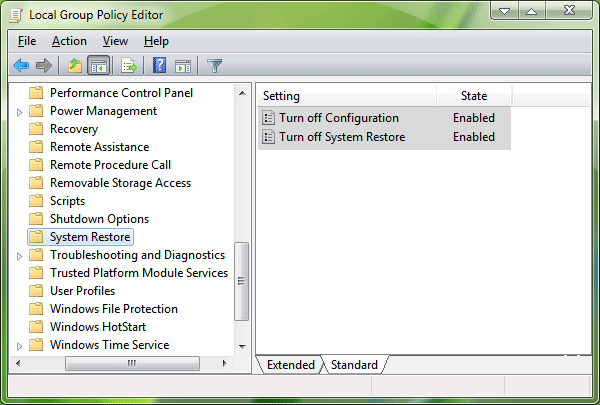
How to Enable “Group Policy Editor” gpedit msc in Windows 7 Home Premium Home Basic and Starter Editions
How to Enable “Group Policy Editor” gpedit msc in Windows 7 Home Premium Home Basic and Starter Editions

DISCLAIMER: This utility has been shared for the sake of knowledge sharing. Patching system files using 3rd party software might be dangerous for your system. We do not recommend it and well not be responsible if it harms your system.Many times we post tutorials which require Group Policy Editor (gpedit.msc). But some Windows 7 editions (Home Premium, Home Basic and Starter) dont come with Group Policy Editor. Only Windows 7 Professional, Enterprise and Ultimate editions come with Group Policy Editor installed.
%username%:f
Original: icacls %WinDir%SysWOW64gpedit.dll /grant:r %username%:fNew: icacls %WinDir%SysWOW64gpedit.dll /grant:r "%username%":f

Go to link Download