Showing posts with label manager. Show all posts

Thursday, May 4, 2017

How to Upgrade OS Blackberry using Desktop Manager

How to Upgrade OS Blackberry using Desktop Manager


How to Upgrade OS Blackberry using Desktop Manager - As a Blackberry user may we have experienced slow Blackberry Smartphone, hourglass merely due to an unstable OS or OS that needs to upgrade, or Smartphone in a state of Corrupt file or Nuked OS (just a flashing red LED light-blink but will not load to the menu). I wrote an article here about how Blackberry OS Updates.

Before we are to Blackberry OS Updates we need to prepare the equipment that is:

1. Computer, laptop or netbook or notebook.
2. An active internet connection (modem, wifi, lan, etc.)
3. Blackberry Smartphone congenital usb cable, usually a mini usb or micro usb.

Open the BlackBerry Desktop Software icon on the computer will appear like this.

How to Upgrade OS Blackberry

if there is no software Click here to download.
Will appear like this ..


Fill in your full name and current email address, then click download. Download is complete go to the folder Download, Install Blackberry Deskop Manager on the computer.

Plug the usb cable from the computer to the Blackberry Smartphone with usb cable, choose Update. Here I use BB Bold 9000 because Davis BB 9300 is up to date.


Will appear after clicking Update Blackberry OS option and it looks like this.


Later there is a choice which OS version will be downloaded directly to the BlackBerry Smartphone.

Note: If the BlackBerry smartphone is turned off, error or nuked select the lowest OS version.
Follow the upgrade process to complete, not to cut off the internet connection, the battery must be fully charged also. If there is a failure in the upgrade process on the Blackberry Smartphone, Smartphone will not run normally, and start the upgrade process from the beginning again.

Good luck and hopefully useful to us all.
Note: The article will follow later in the day.

Go to link Download

Read more »

Thursday, February 23, 2017

How to Resolve Application Hangs in Task Manager Processs list after being closed

How to Resolve Application Hangs in Task Manager Processs list after being closed


Application Hangs in Task Manager Processs list after being closed

I have an application which uses Winsock control for TCP/IP communications.  If I start the application and close it without connecting to a device through Winsock then the application goes away at that time in the Process tab of Task Manager.

If I start the application and then use it to connect to a socket on the server and then disconnect and close the application ...
The Application stays in the Processes list of task manager for about 20 seconds.

I have only seen this happen on SOME Windows 7 64bit machines...
not all.

I wonder if the client is running some type of monitoring program that may be holding this.
Any way to track this down?

Any ideas at all would be helpful

Thanks

Solutions to the Problem Application Hangs in Task Manager Processs list after being closed

Download SmartPCFixer to Fix It (Free)

Use the System File Checker tool to repair corrupted or missing system files:

  1. Click Start.
  2. Type cmd, and then press CTRL+SHIFT+ENTER to open the elevated command prompt (I.e. Command prompt with administrative rights).
  3. The User Account Control window should appear, be sure that the action it exhibits is correct, and then press the Continue button.
  4. Type or copy paste the below command line into it without quotes:
  5. "Sfc /scannow"

Another Safe way to Fix the Problem: Application Hangs in Task Manager Processs list after being closed:

How to Fix Application Hangs in Task Manager Processs list after being closed with SmartPCFixer?

1. Download Error Fixer . Install it on your system.  Click Scan, and it will perform a scan for your computer. The errors will be shown in the scan result.

2. After the scan is finished, you can see the errors and problems which need to be fixed.

3. When the Fixing part is finished, your computer has been speeded up and the errors have been fixed


Related: error message fsui.exe/ wlidcli.dll is missing
,Solution to Error: Excel: Automatic number generation
,Troubleshoot:i wanna change language of all windows in Windows 7 Home Premium
,Troubleshooting:IF Function, if the vendor ID in column A matches any of the vendor IDs in column F, I want 1099 to appear in column D. Error
,Fast Solution to Problem: ReadyBoost is not working properly in my computer
,Troubleshoot:Error: "0x81000032 make sure the C: drive is online and set to NTFS" when trying to backup to external hard drive. Error,External Hard Drive not listed in Windows 7 backup wizard Tech Support,Tech Support: Im always being signed off so annoying,Solution to Problem: Impossible to use Internet Explorer! I keep getting the same error message every time i try to use IE.,Referencing data in Access using Excel [Anwsered],Need Best Way To Present Data [Anwsered],Same question but for windows 7 home edition,sometimes fullscreen wont activate [Solved],Solution to Error: We bought a new computer with windows 7 and it is constantly freezing. How do we fix this?,Solution to Error: Windows 8 update crash (2013-07-22),brclr.dll.mu_ Missing Error Fixer,How To Resolve Missing fin_myagtui.eng Problem,Corrupted f_0006ad File - How to Fix,nkebigvg.cpl Not Found Error Fixer,Corrupted olcontrols.ocx File - How to Fix
Read More: Troubleshoot:Apps and PC Setting do not work after upgrading to Windows 8.1 Error,Troubleshooting:Amazon Unbox wont play videos "error code 0xC00D2728",An unhandled exception - Error 0x1A88 [Solved],How Can I Fix - Another Hyperlink Editing Task?,How to Fix Problem - Annoying popup?,After Windows Update CD/DVD drive does not work,After installing windows 7 to laptop the labels print out of line how can I fix it,After my computer sleeps the wireless always disconnects and will no reconnect,After signing into Pogo.com, I get a message" This tab has been recovered"....what does this mean and how do I fix it.....,All desktop icons changed to windows live and does not open

Go to link Download

Read more »

Wednesday, January 18, 2017

HOW To OPEN Task Manager

HOW To OPEN Task Manager


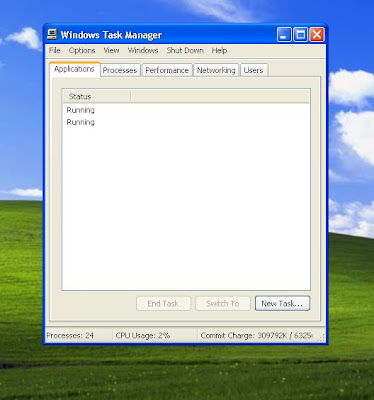
This tutorial is show how easy to pull Task Manager using Ctrl + Alt + Del keys get it up screen right away.
There is several ways that you can open task manager, most comon way is show on this video
Ctrl+Alt+Del probably be most familiar using three-finger (Ctrl+Alt+Del). Up until Windows Vista was released, pressing Ctrl+Alt+Del brought you directly to Windows Task Manager. Since Windows Vista, Ctrl+Alt+Del now brings you to the Windows Security screen which provides users with five different options including Windows Task Manager.
Right-Click Taskbar is the way if your windows is working properly:
.....the fastest way to bring up Windows Task Manager is by right-clicking the taskbar and choosing the Start Task Manager option. It’s just two clicks! You’re staring at Task Manager! 
Then also Run taskmgr:

You can type in "taskmgr" at the command prompt

to do so press Win + R to open the Run box, and then type "cmd" command prompt will open type "taskmgr" and hit enter
You can pull task manager this way:
Open Task Manager by right-clicking the taskbar, and then clicking Start Task Manager.
There is another way how to get task manager up:
You can also open Task Manager by pressing Ctrl+Shift+Esc.

Another quick keyboard shortcut to bring up Windows Task Manager is: Ctrl+Shift+Esc. Besides bringing up Windows Task Manager while using Remote Desktop, you can also use Ctrl+Shift+Esc to bring up the task manager while working locally.


Browse to taskmgr.exe This is definitely the longest way of opening the task manager, but if it’s your only option then it’s better than nothing at all. Open up Windows Explorer and navigate to C:WindowsSystem32. The location of taskmgr.exe should be the same in all recent versions of Windows. Scroll down (or search) for taskmgr.exe and double click it.

If you have any other way to pull task manager fill free to share with as.


Additional information

What is the difference between BIOS and CMOS?

What are the F1 through F12 keys?  

How to use system recovery options in Windows?

Random black screen while playing games


How to Delete and Clear Recent Items in Windows 7 Jump Lists

How to enter the BIOS or CMOS setup
What is the difference between BIOS and CMOS?
What are the F1 through F12 keys?  

MISSCELLENIOUS ITEMS


Go to link Download

Read more »

Tuesday, January 17, 2017

How to fix task manager problem

How to fix task manager problem


In this post on Free computer tips, I will tell you how to fix task manager problem.
because of huge variety of virus task manager sometimes stop working, appear and disappear or some times it shows a message like "

Task Manager has been disabled by your administrator

". So If you are facing a problem with task manager then you can fix it just by downloading a light software which will automatically fix the task manager problem.

Repair Task Manager Errors
 by downloading this software FREE

click here to download

Go to link Download

Read more »

Monday, December 5, 2016

IDM Internet Download Manager

IDM Internet Download Manager


Internet download manager Full version:


IDM Tips and Tricks


Internet Download Manager is a tool which brings you to download anything.

Now you can download more better more saver and more faster

download from youtube and more famous video sharing websites download anything and anywhere .

Download IDM  and enjoy!
Metallic animated spinning green arrow pointing down

http://www.4shared.com/rar/jSL_Ye1Z


Hack or crack IDM manually :


Step 1: Download the Latest IDM from Here or If you already have IDM installed Update it by going to Help---}} then to check for Updates.If you dont wanna update your version, Just click on Registration.


Step2: When you click on registration, Now a new dialog(window) appears that is asking for Name, Last Name, Email Address and Serial Key.

Step3: Now Enter you name, last name, email address and in field of Serial Key enter any of the following Keys:


RLDGN-OV9WU-5W589-6VZH1

HUDWE-UO689-6D27B-YM28M

UK3DV-E0MNW-MLQYX-GENA1

398ND-QNAGY-CMMZU-ZPI39

GZLJY-X50S3-0S20D-NFRF9

W3J5U-8U66N-D0B9M-54SLM

EC0Q6-QN7UH-5S3JB-YZMEK

UVQW0-X54FE-QW35Q-SNZF5

FJJTJ-J0FLF-QCVBK-A287M


And click on ok to register.


Step4: After you click ok, it will show an error message that you have registered IDM using fake serial key and IDM will exit. Now here the hack starts.


Step5: Now Go to START => Then go to RUN and type the following text and click enter:


notepad %windir%system32driversetchosts


Note : For Windows 7 users, due to security reasons you will not be able to save hosts file.

so follow this steps :

First of all go to C:/ drive then go to Windows Folder and then go to System32 folder and then go to Drivers folder and then go to Etc Folder, in the Etc folder you will see the hosts file.


Step6 (windows 7 or vista): Now right click on hosts file and go to its properties, then go to security tab and then select your admin account, just below u will see an edit button (in front of change permissions), Now give the user full control and write and read rights and then click on apply and then click on Ok, now u will be able to edit the hosts file and save changes in it.


Step7 (windows 7 or vista): For more Details Go To: ( How to edit Windows 7 or Vista Hosts File)


Open with Notepad


Now copy the below lines of code and add to hosts file as shown above image box :


127.0.0.1 tonec.com

127.0.0.1 www.tonec.com

127.0.0.1 registeridm.com

127.0.0.1 www.registeridm.com

127.0.0.1 secure.registeridm.com

127.0.0.1 internetdownloadmanager.com

127.0.0.1 www.internetdownloadmanager.com

127.0.0.1 secure.internetdownloadmanager.com

127.0.0.1 mirror.internetdownloadmanager.com

127.0.0.1 mirror2.internetdownloadmanager.com


After adding these piece of code, save the notepad file. And exit from there.


Now start your Internet download manager, and now you IDM has been converted to full version and specially when you update next time, your registration will not expire.


That means it will remain full version for life time and you can update it without any problem in future.


thanks to : http://idmforfree.blogspot.com/p/idm-tips.html


You Are Done, Enjoy 


For Google Integration 

Metallic animated spinning green arrow pointing down

            Download Here


Free to ask :


Go to link Download

Read more »

Saturday, November 5, 2016

Free Download Manager

Free Download Manager


Free Download Manager

Free Download Fast And Not Error Page Always Active


Go to link Download

Read more »

Wednesday, October 12, 2016

IDM Internet Download Manager 6 23 build 9 with Crack Serial Key

IDM Internet Download Manager 6 23 build 9 with Crack Serial Key


IDM - Internet Download Manager 6.23 build 9 with crack and serial key has now come up after its old version which has some more better features and bug fixes than its older versions like improved download engine and better recognition of video files in google chrome. Internet Download Manager fully activated has the ability to increase the download speed of your files because it uses a parallel download system which manages the download speed and files properly and provide maximum download speed. IDM 6.23 cracked is a very well known and famous download manager software all over the world and is the best source to download files in high speed.


Internet Download Manager 6.23 build 9 with Crack & Serial Key

IDM Free full version software also gives you the feature to set scheduled downloading by using which IDM will automatically start to download the files and it also recovers the broken and interrupted downloads in case of any lost connection or system failure. Internet Download Manger (IDM) 6.23 build 9 is not free to use software but by using the IDM crack file, you can activate the licensed version of IDM free of cost and it will work for life time. You can easily download IDM 6.23 build 9 crack and patch file from asimbaba.blogspot.com.

How To Install?

Close/uninstall previous version of IDM;
Install version 6.23 build 9 from setup folder;
IDM may show you some notification like "You have registered IDM with a fake serial number" dont get frightened, just close those notifications;
Close IDM from system trey if it is still open (IDM must be closed during patching process);
Copy all files(2) in "Crack" folder and past (replace) it in original installed folder (normally C:Program FilesInternet Download Manager);
Run reg file. Done!


Download Link

Go to link Download

Read more »