Showing posts with label open. Show all posts
Showing posts with label open. Show all posts
Wednesday, May 17, 2017
Hosting Alternatif Selain Google Code untuk Proyek Open Source
Hosting Alternatif Selain Google Code untuk Proyek Open Source
Google telah menutup Google Code pada 25 Januari 2015, layanan hosting untuk proyek-proyek open source dan coding. Jika Anda belum mengalihkan proyek Anda ke layanan lain, sekarang adalah waktu yang baik. Berikut adalah beberapa alternatif layanan hosting untuk proyek-proyek open source dan coding.
GitHub
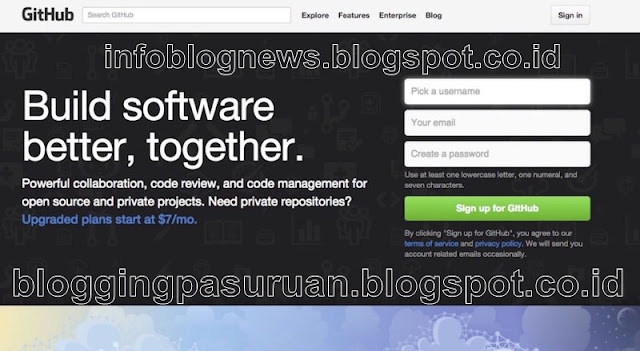
GitHub adalah raksasa untuk layanan hosting untuk proyek-proyek open source dan coding. Untuk pengguna dasar GitHub memberikan fasilitas yang benar-benar gratis. Jika Anda mencari fitur profesional, atau pilihan untuk membangun sebuah portofolio proyek GitHub menyediakan upgrade premium. Github memiliki kemampuan untuk kedua fungsi sebagai sumber pengembangan independen, di mana seseorang membangun proyek-proyeknya, kemudian berbagi dengan publik, yang nantinya juga mampu memberikan pekerjaan ( join proyek ) dengan pengguna lain, tweak, update, selesainya proyek akan memiliki kontribusi besar kepada banyak orang ( pengguna ), atau sebagai open source.
Google menyebutkan GitHub dalam pengumuman penutupan Google Code, dan bahkan memiliki alat ekspor ( untuk proyek proyek anda di google code ) dan panduan ekspor untuk mempermudah migrasi proyek anda dari Google code ke GitHub. GitHub memiliki pedoman bagaimana seorang calon pengembang memulai akrab dengan fitur terbaik GitHub. Ada banyak fitur sebagai bahan pembelajaran yang akan menghemat waktu dalam jangka panjang.
CodePlex
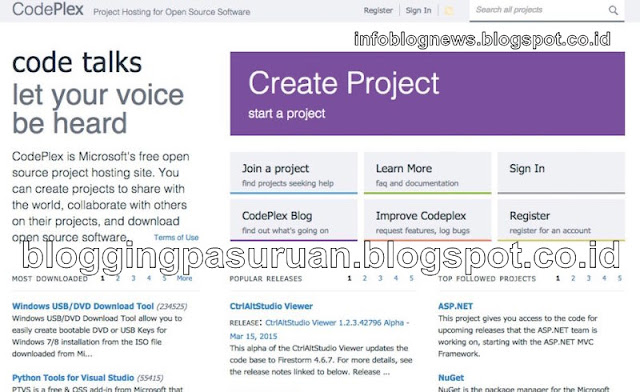
CodePlex adalah open-source untuk proyek hosting Anda yang dipersembahkan Microsoft. Ini adalah Web yang tepat untuk ribuan proyek populer, dan sementara banyak ( atau sebagian besar, bisa dibilang ) harus dilakukan dengan ekosistem ( yang terkait dengan ) Windows, bukan berarti bahwa aplikasi mobile atau proyek lintas-platform tidak diterima. Account gratis, dan Anda dapat membangun proyek opn source dalam setiap bahasa ( peng-kodean ) untuk platform apapun yang Anda pilih. Anda bisa mencoba coba CodePlex, CodePlex juga memudahkan Anda dalam membuat proyek-proyek dengan menggunakan bantuan, atau tim CodPlex akan membantu mencarikan solusi jika terjadi permasalahan, sehingga sebuah proyek mampu untuk berkontribusi. Seperti repositori kode yang baik, CodePlex menawarkan fitur seperti kontrol versi, wiki built-in dan dukukan FAQ, pelacakan masalah, homepage proyek, dan banyak lagi.
BitBucket
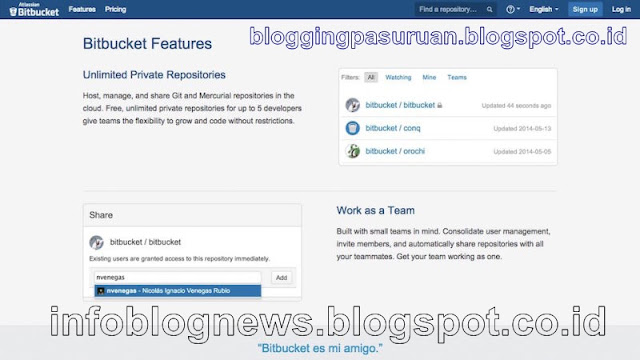
BitBucket adalah repositori kode yang memiliki nama besar bagi ribuan proyek dan pengembang. Didirikan oleh Atlassian ( perusahaan issue tracking software Jira dan layanan chatting HipChat), BitBucket juga layanan hosting untuk proyek-proyek open source dan coding populer dan Google memiliki panduan migrasi dengan ( tool ) alat yang dapat Anda gunakan untuk memindahkan proyek Anda dengan cepat.
Account BitBucket Gratis !, Namun Anda mendapatkan repositori kode terbatas, Namun Anda masih memiliki banyak ruang untuk membangun proyek-proyek Anda walau dengan space terbatas. Ketika Anda mendapatkan layanan gratis dari BitBucket namun Anda bisa membuat maksimal 5 tim untuk sebuah proyek. BitBucket juga memiliki integrasi dengan Jira, sehingga fitur pelacakan masalah diurus oleh Jira.
Launchpad
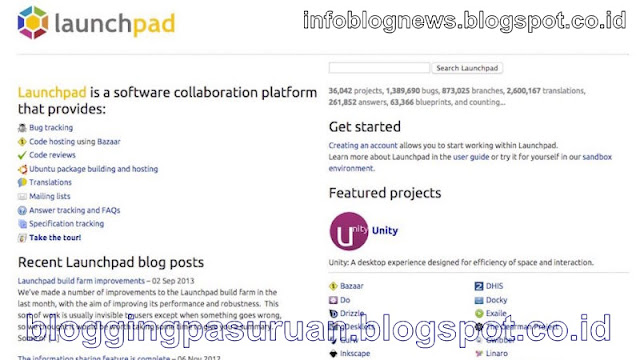
Launchpad adalah kolaborasi antara Ubuntu ( software platform ). Launchpad adalah home dari Unity, Docky, dan beberapa utilitas Linux populer lainnya. Sebagian besar proyek host di Launchpad dikembangkan oleh dan dibangun untuk komunitas Linux, tapi tidak berarti Anda tidak bisa menggunakan Launchpad, karena Launchpad telah built-in tools dan ini benar-benar untuk digunakan gratis.
SourceForge
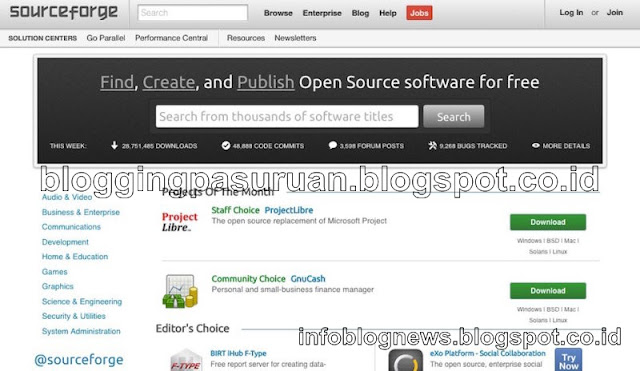
SourceForge yang satu ini sebenarnya tidak saya rekomendasikan, tetapi tidak lengkaplah jika alternatif selain Google Code tanpa SourceForge . SourceForge sebelumnya ditinggalkan oleh pemiliknya berikut staf admin selama bertahun-tahun, yang kemudian dioperasikan oleh sekelompok relawan dan admin namun masih menjadi momok bagi pengguna kala itu karena "proyek" yang sarat dengan malware, atau lebih buruk dari itu. Namun kemudian, pengguna menemukan Sourceforge memulai bundling download dengan adware di semua installer-nya.
Meski begitu, SourceForge masih salah satu repositori kode paling populer di web, dan menawarkan manajemen ( coding ) kelas dunia, masalah-pelacakan, versi, dan kolaborasi tool. Ada banyak proyek besar dan populer yang masih menggunakan situs SourceForge. Google memiliki panduan untuk bermigrasi ke SourceForge, dan SourceForge memiliki panduan sendiri untuk importi code yang bertujuan untuk memuluskan proses migrasi tersebut.
Berikut ini layanan lain yang perlu dipertimbankan juga
Ini mungkin juga bisa disebut sebagai hosting untuk proyek-proyek open source dan coding, yaaa sebagai pilihan alternatif untuk Google Code selain yang saya sebutkan di atas :
?GitLab: Jika Anda tertarik untuk menjalankan produksi kode sendiri, GitLab bisa dijadikan tempat alternatif proyek coding Anda. Yaaa kendalanya mahal di lisensi -nya, jadi bersiaplah untuk membuka dompet sebagai budget premium atau lisensi. GitLab akan menjadi home code produksi untuk publik dan pribadi Anda sendiri di server GitLab secara gratis (seperti layanan web lain. GitLab menangani serius untuk semua proyek Anda karena mereka ingin menjadi lebih baik dari GitHub.
?CodeBase: Codebase dengan layanan account gratis yang membatasi Anda dalam satu proyek, namun satu proyek dilengkapi dengan manajemen tool dan tool manajemen proyek yang kuat juga. Tool ini dirancang agar membuat Anda ketagihan dan kembali merencanakan proyek berikutnya dengan bayaran atau penghasilan.
?Beanstalk: Git Sederhana yang elegan dan Subversion hosting yang mendukung luas ke server Anda atau dalam lingkup web lain seperti AWS, DreamObjects, Rackspace, Heroku, dan lain-lain. Ideal untuk pengembangan web, Soal Harga masih dalam batas wajar lha.
Ditutupnya Google Code, bukan menjadi halangan untuk membangun proyek proyek coding Anda , karena banyak pilihan dan alternatif yang disesuaikan. Kebanyakan orang dari Google Code mungkin cenderung untuk memilih GitHub atau SourceForge, mengingat popularitas-nya, tetapi Anda tidak perlu merasa mereka saja yang mampu memberikan layanan terbaik. Ada banyak pilihan, baik yang gratis atau berbayar dan yang pasti menjadi salah satu yang terbaik untuk proyek Anda.
Semoga bemanfaat….
Go to link Download

Wednesday, January 18, 2017
HOW To OPEN Task Manager
HOW To OPEN Task Manager
This tutorial is show how easy to pull Task Manager using Ctrl + Alt + Del keys get it up screen right away.
There is several ways that you can open task manager, most comon way is show on this video
Ctrl+Alt+Del probably be most familiar using three-finger (Ctrl+Alt+Del). Up until Windows Vista was released, pressing Ctrl+Alt+Del brought you directly to Windows Task Manager. Since Windows Vista, Ctrl+Alt+Del now brings you to the Windows Security screen which provides users with five different options including Windows Task Manager.
Right-Click Taskbar is the way if your windows is working properly:
.....the fastest way to bring up Windows Task Manager is by right-clicking the taskbar and choosing the Start Task Manager option. It’s just two clicks! You’re staring at Task Manager!
Then also Run taskmgr:
You can type in "taskmgr" at the command prompt
to do so press Win + R to open the Run box, and then type "cmd" command prompt will open type "taskmgr" and hit enter
You can pull task manager this way:
Open Task Manager by right-clicking the taskbar, and then clicking Start Task Manager.
Open Task Manager by right-clicking the taskbar, and then clicking Start Task Manager.
There is another way how to get task manager up:
You can also open Task Manager by pressing Ctrl+Shift+Esc.
Another quick keyboard shortcut to bring up Windows Task Manager is: Ctrl+Shift+Esc. Besides bringing up Windows Task Manager while using Remote Desktop, you can also use Ctrl+Shift+Esc to bring up the task manager while working locally.
Browse to taskmgr.exe This is definitely the longest way of opening the task manager, but if it’s your only option then it’s better than nothing at all. Open up Windows Explorer and navigate to C:WindowsSystem32. The location of taskmgr.exe should be the same in all recent versions of Windows. Scroll down (or search) for taskmgr.exe and double click it.
You can also open Task Manager by pressing Ctrl+Shift+Esc.
Another quick keyboard shortcut to bring up Windows Task Manager is: Ctrl+Shift+Esc. Besides bringing up Windows Task Manager while using Remote Desktop, you can also use Ctrl+Shift+Esc to bring up the task manager while working locally.
Browse to taskmgr.exe This is definitely the longest way of opening the task manager, but if it’s your only option then it’s better than nothing at all. Open up Windows Explorer and navigate to C:WindowsSystem32. The location of taskmgr.exe should be the same in all recent versions of Windows. Scroll down (or search) for taskmgr.exe and double click it.
If you have any other way to pull task manager fill free to share with as.
Additional information
What is the difference between BIOS and CMOS?
What are the F1 through F12 keys?
How to use system recovery options in Windows?
Random black screen while playing games
How to Delete and Clear Recent Items in Windows 7 Jump Lists
How to enter the BIOS or CMOS setup
What is the difference between BIOS and CMOS?
What are the F1 through F12 keys?
MISSCELLENIOUS ITEMS
MISSCELLENIOUS ITEMS
Go to link Download
Monday, December 19, 2016
How to open Local Group Policy Editor in Windows 7
How to open Local Group Policy Editor in Windows 7
BEST GREENHOUSES FOR GROOVING VEGETABLES
? ? 1(360)241-1624 ?

? ? 360organic.us ?
DURABLE! AFFORDABLE! ALUMINUM + UV POLYCARBONATE
Local Group Policy Editor is a Microsoft Management Console (MMC) snap-in that you can use to edit local Group Policy objects (GPOs). Local Group Policy Editor and the Resultant Set of Policy snap-in are available in Windows Server 2008 R2 and Windows 7 Professional, Windows 7 Ultimate, and Windows 7 Enterprise.
You can open the Local Group Policy Editor by using the command line or by using the Microsoft Management Console (MMC).
To open the Local Group Policy Editor from the command line
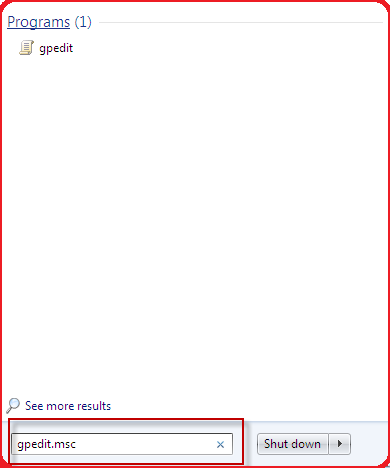
- Click Start, type gpedit.msc in the Start Search box, and then press ENTER.
To open the Local Group Policy Editor as an MMC snap-in
- Open MMC. (Click Start, click in the Start Search box, type mmc, and then pressENTER.)
- On the File menu, click Add/Remove Snap-in.
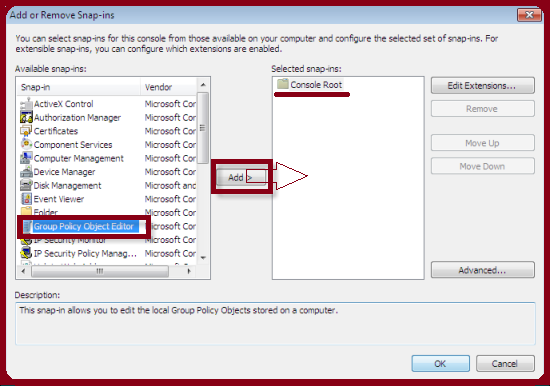
- In the Add or Remove Snap-ins dialog box, click Group Policy Object Editor, and then click Add.
- In the Select Group Policy Object dialog box, click Browse.
- Click This computer to edit the Local Group Policy object, or click Users to edit Administrator, Non-Administrator, or per-user Local Group Policy objects.
- Click Finish.
Additional information
What is the difference between BIOS and CMOS?
What are the F1 through F12 keys?
How to use system recovery options in Windows?
Random black screen while playing games
How to Delete and Clear Recent Items in Windows 7 Jump Lists
How to enter the BIOS or CMOS setup
What is the difference between BIOS and CMOS?
What are the F1 through F12 keys?
MISSCELLENIOUS ITEMS

MISSCELLENIOUS ITEMS
Durable Greenhouses made from Polycarbonate UV Protected material and Aluminum
ALSO PLEASE VISIT THIS VIDEOS AND SEE IF YOU FIND SOMETHING NEED:
Windows Registry Tools can be downloaded here:
How to kip your PC Private by deleting DATA Permanently
http://askpctech.blogspot.com/2016/03/kip-your-pc-privat.html
This tutorial is made up on request several users, is well is fallowing video:
1)How to Delete Paint Recent Pictures from List in Windows 7
2)Win 7– Fix for “Safely Remove Hardware and Eject Media” not working How To
3)Windows 10 How to Fix Black Screen After Booting
4)How To Remove Windows 10 Upgrade Notification On Windows 7 And Windows 8
5)How to Delete Face book Page Permanently - 2015
6)How to Uninstall Windows 10 and Downgrade to Windows 7 or 8.1
7)detected: not-a-virus:remoteadmin.win32
8)How to change pictures into icons for folders
9)Speed up your PC Disable System Restore on SSD
10)Speed up your PC Disable Scheduled De-fragmentation SSD
11)2015 Black screen of DEATH Windows 7 & 8 - with cursor at start-up SOLVED
12)Upon start up only wallpaper shows FIX
13)Here is video on Windows 7 & 8 - Black screen with cursor at start-up FIX
You can also open Task Manager by pressing Ctrl+Shift+Esc.
14) I bought a windows 7 PC but it Look alike old PC FIX:
15) Windows 7 & 8 - Black screen with cursor at start-up FIX:
16) How To Fix Minecraft OpenGL Error Windows 7 xp vista 720p :
17) removing bars using regscanner regedit & file shredder 720p:
18) How to Recover windows Explorer from error 2014 720p
19) HOW TO Save on battery online
20) Windows 7 & 8 - Black screen with cursor at start-up FIX
Upon start up only wallpaper shows no icons
CTL+ALT+DEL then click file and new task. then type explorer.exe and press ok
Best Greenhouse system 2015
Go to link Download
Tuesday, November 15, 2016
How to Open Command Prompt With Mouse Click
How to Open Command Prompt With Mouse Click
Open Command Prompt With Mouse Click - I do not care if I spelled outdated, because I just found out how to open CMD with the click of a mouse. If we used to open the Command Promt should RUN (Win + R) then type the command Command.

And here To Open Command Prompt with Mouse Click:
Location of the mouse diarrhea desktop
Hold down the SHIFT key on the keyboard
Press the SHIFT key while right-clicking the Open command windows Click here
Have a computer article about How to Open Command Prompt With Mouse Click beneficial to you
And here To Open Command Prompt with Mouse Click:
Location of the mouse diarrhea desktop
Hold down the SHIFT key on the keyboard
Press the SHIFT key while right-clicking the Open command windows Click here
Have a computer article about How to Open Command Prompt With Mouse Click beneficial to you
Go to link Download
Thursday, October 13, 2016
If not open any web side like yahoo Hotmail etc
If not open any web side like yahoo Hotmail etc
The solution for the above title:-........
Normally this problem was generated my ip problem
So Plz first check your ip if there was not any ip you need to be provide the ip to your system
after that this problem was solved.
Normally this problem was generated my ip problem
So Plz first check your ip if there was not any ip you need to be provide the ip to your system
after that this problem was solved.
Go to link Download
Subscribe to:
Posts (Atom)