Showing posts with label tab. Show all posts
Showing posts with label tab. Show all posts
Sunday, April 23, 2017
How to get the all opened tab back in Google Chrome if you have closed all the tab by mistake
How to get the all opened tab back in Google Chrome if you have closed all the tab by mistake
Hi Friends,
This is just for an information I am sure most of you must know it already.I wanted to let you know how you can get all the opened tab in Google Chrome back if you have closed all the tab by mistake, because when you manually close it, you dont get the option of restore so if you dont get the restore option here is how you can get all those opened tab back.
Get all opened pages that you were working on back
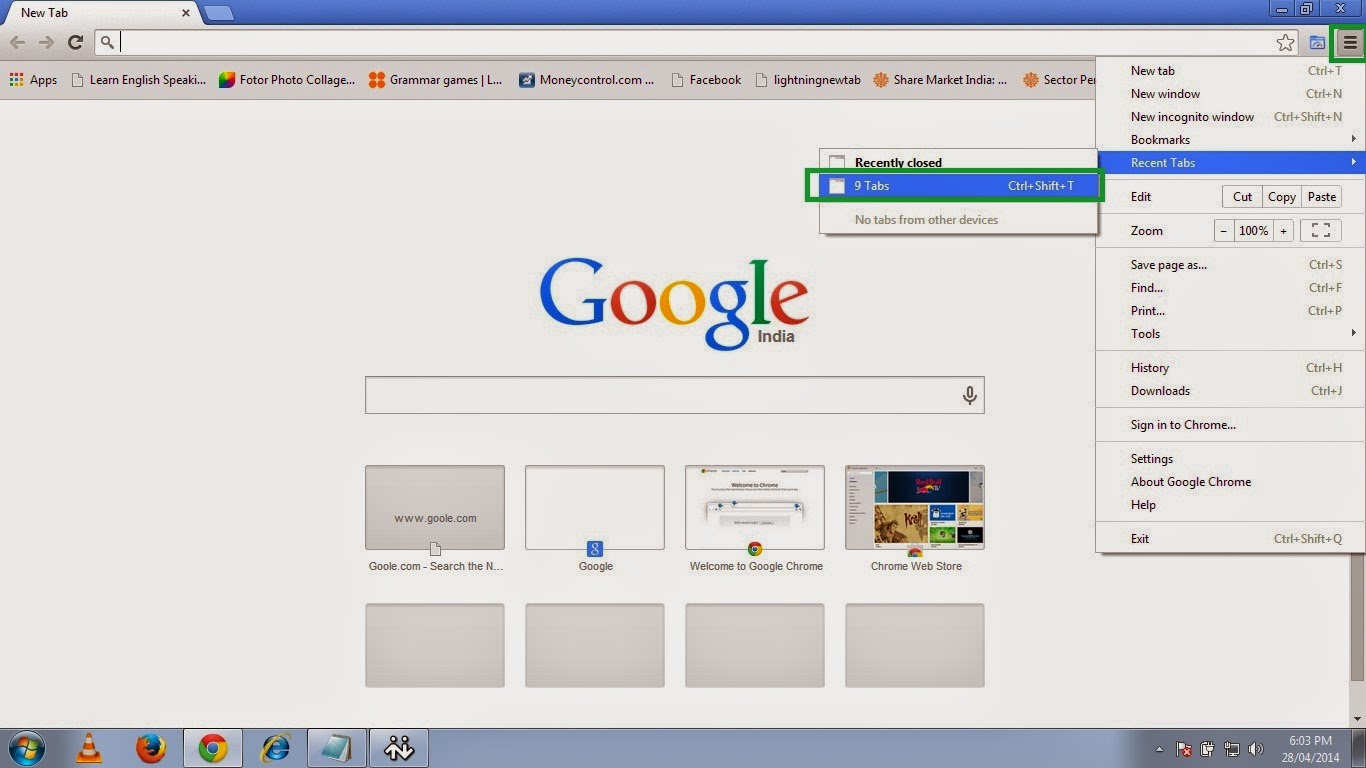
1. Open chrome and click on the three small parallel lines on the top right hand side and then move to Recent Tab and click the no. of Tab option so here in this picture it shows 9 Tab because I had 9 tabs opened before closing the Chrome.
So click on the 9 Tab.
OR
Just press Ctrl+Shift+T.
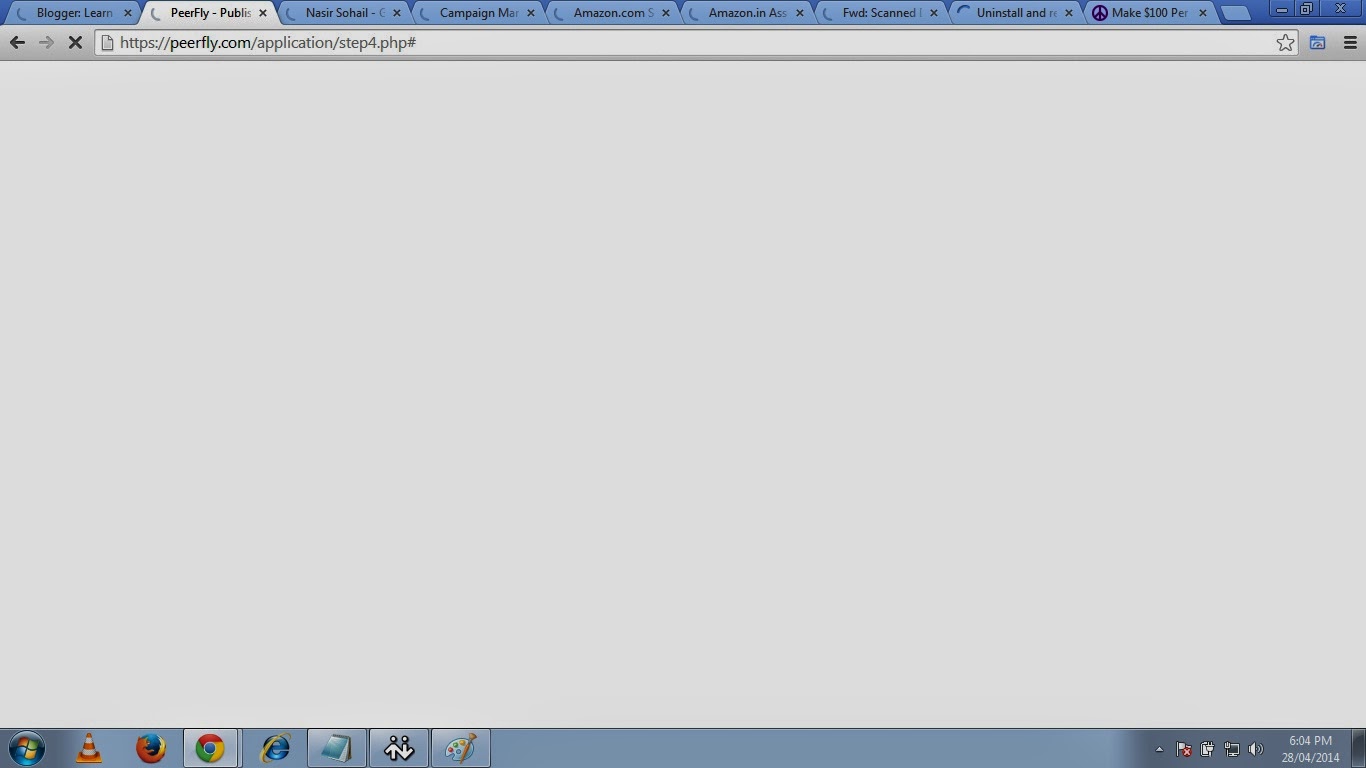
2. And then it will open all previously opened tabs with the webpages you were browsing.
Happy Learning
Nasir
People Also read my Following Posts.
Get a Website ups and running @ $2.95
What is a website and how is it accessed on the web?How to build and host it free?
How to Speed up your computer 20 Times faster.
Restore and Reset your iPhone, iPad or iPod back to the original Factory Default Settings.
This is just for an information I am sure most of you must know it already.I wanted to let you know how you can get all the opened tab in Google Chrome back if you have closed all the tab by mistake, because when you manually close it, you dont get the option of restore so if you dont get the restore option here is how you can get all those opened tab back.
Get all opened pages that you were working on back
1. Open chrome and click on the three small parallel lines on the top right hand side and then move to Recent Tab and click the no. of Tab option so here in this picture it shows 9 Tab because I had 9 tabs opened before closing the Chrome.
So click on the 9 Tab.
OR
Just press Ctrl+Shift+T.
 |
| Pic-14(a) |
2. And then it will open all previously opened tabs with the webpages you were browsing.
 |
| Pic-14(b) |
Happy Learning
Nasir
People Also read my Following Posts.
Get a Website ups and running @ $2.95
What is a website and how is it accessed on the web?How to build and host it free?
How to Speed up your computer 20 Times faster.
Restore and Reset your iPhone, iPad or iPod back to the original Factory Default Settings.
Go to link Download

Thursday, February 16, 2017
Hướng dẫn chạy lại rom chính hãng cho Galaxy Tab A6 T285
Hướng dẫn chạy lại rom chính hãng cho Galaxy Tab A6 T285
Bài vi?t này s? h??ng d?n ch?y rom chính hãng cho Samsung Tab A6 mã hi?u SM-T285 khi x?y ra tình tr?ng b? treo logo ho?c root b? l?i. ?ây là phiên b?n m?i nh?t c?a Samsung Tab A6.
L?u ý: Khi th?c hi?n các b?n nên chu?n b? 1 s?i cáp t?t, pin s?c trên 90% ?? ??m b?o máy không b? m?t ngu?n và ??ng th?i khi ch?y rom tuy?t ??i không ???c rút cáp ra n?u ?ang cài ??t rom. Các b?n ph?i n?m 1 ít ki?n th?c v? vi?c nâng c?p máy.
Tr??c khi ch?y ph?n m?m, ta c?n chu?n b? các thao tác sau:
- T?i ph?n m?m Odin t?i ?ây.
- File rom g?c cho máy t?i ?ây.
- Cài ??t driver cho máy t?i ?ây.
- Ho?c t?i trang ch? t?i ?ây.
Khi t?i ph?n m?m v? mình s? cài ??t driver cho máy. Gi?i nén th? m?c Odin và file rom c?a Galaxy Tab A6. M? ph?n m?m Odin lên v?i quy?n qu?n tr?.

??a máy Galaxy J5 2016 v? ch? ?? ch?y rom b?ng cách b?m 3 phím : Gi?m âm l??ng + Home + Ngu?n s? ???c nh? hình.

B?m t?ng âm l??ng ?? ti?p t?c ?? ???c hình sau và k?t n?i v?i máy tính.

? giao di?n ph?n m?m Odin sau khi m? lên, ta ch?n vào m?c AP ?? m? b?n rom ?ã gi?i nén ? trên.

Tìm ??n th? m?c b?n rom.

B?m Start ?? b?t ??u flash rom vào máy. Ta ch? vi?c ng?i ??i kho?ng t?m 10 phút máy s? kh?i ??ng lên và dùng. Ki?m tra thông tin phiên b?n ta vào ph?n cài ??t > thông tin thi?t b?.

Vào thông tin ph?n m?m ?? ki?m tra các phiên b?n nh? hình sau.

Chúc các b?n thành công.
Tâm Nguy?n.
Go to link Download
Subscribe to:
Posts (Atom)